Windows VPS Hosting Cheap: How to Get a High‑Performance Windows VPS Server on a Budget
14 min readexact
Finding reliable Windows VPS hosting at a price that doesn't drain your monthly budget can feel like searching for a needle in a haystack. The good news is that hardware costs have dropped, NVMe SSD storage has become standard, and providers now offer powerful virtual servers for a fraction of what a dedicated server costs. This guide walks you through everything you need to know to choose, configure, and manage a cheap Windows VPS that actually performs.
Quick Answer: What Is Cheap Windows VPS Hosting and Who Is It For?
A cheap Windows VPS is a virtual private server running a Windows Server operating system with dedicated resources like CPU, RAM, and storage, along with isolated server resources, typically offered between $5 and $30 per month. It gives you the same remote desktop experience, admin access, and root access you would get on a physical machine, without the enterprise-level price tag of a dedicated server.
Common use cases include:
Remote desktop workstations for accessing a Windows environment from anywhere
ASP.NET and IIS web hosting for business websites and internal portals
Forex trading terminals running MetaTrader 4/5 or trading bots around the clock
Always-on automation like web scrapers, marketing bots, and scheduled tasks
Development and testing of .NET Framework applications and SQL Server databases
In terms of price and power, a cheap Windows VPS sits squarely between shared hosting (limited control, very low cost) and a dedicated server (full physical hardware, much higher cost). For most users who need a real Windows operating system with full control, a VPS plan is the sweet spot.
At eXact Digital (exact.gg), the focus is on affordable Windows VPS plans powered by AMD EPYC CPUs, NVMe SSD storage, and competitive pricing with no hidden fees. Key benefits include high performance hardware, full administrator access, and transparent monthly rates.
What Is a Windows VPS Server?
A Windows VPS server is a virtual machine running a Windows Server edition (such as Windows Server 2022 or 2025) on a physical host that is shared with other users. The difference from shared hosting is that your CPU, RAM, and storage are isolated and reserved for you alone, thanks to virtualization technology like KVM virtualization or Hyper-V.
Here is what defines a Windows virtual private server:
Virtual private server (VPS): A partitioned section of a physical server with its own operating system, dedicated resources, and independent reboot capability.
Virtualization: The hypervisor layer (KVM, Hyper-V, VMware) isolates each VPS so that other users on the same hardware cannot affect your performance or access your data.
Remote Desktop Protocol (RDP): The protocol used to connect to your Windows VPS remotely, giving you a full graphical desktop as if you were sitting in front of the machine.
Admin control: Windows VPS provides full administrative access for server management, meaning you can install software, configure services, and manage security policies without restrictions.
It is worth noting that a Windows VPS and Windows RDP are not the same thing. The VPS is the actual virtual server; RDP is simply the method you use for remote access. eXact Digital offers multiple Windows Server operating systems, so you can pick the version that matches your compatibility or long-term support needs.
Cheap Windows VPS vs Shared Hosting vs Dedicated Servers
Choosing between shared hosting, VPS hosting, and a dedicated server comes down to how much control, performance, and budget flexibility you need.
Shared hosting: The cheapest tier, usually $2–$8 per month. You share CPU, RAM, and disk with many other users, get no server admin rights, and cannot run custom Windows apps or use remote desktop. It works for simple websites but breaks down under real workloads.
Cheap Windows VPS: Moderate cost with dedicated resources. You get full Windows admin access, can install any compatible software, run SQL Server or IIS, and connect via remote desktop. VPS hosting allows for on-demand scaling of resources, so you only pay for what you need.
Dedicated server: An entire physical machine reserved for you, typically $100 or more per month. It delivers the best raw performance but is often overkill for most small businesses, traders, or developers who do not consistently max out CPU and I/O.
For most users running a Windows virtual server for web hosting, trading, or remote work, a cheap Windows VPS plan offers better cost effectiveness than shared hosting or bare metal by balancing performance, flexibility, and price for typical workloads.

Core Features to Look For in a Cheap Windows VPS Plan
The word "cheap" should describe the price, not the quality. Here is what a best Windows VPS plan must include, regardless of cost:
High performance hardware: Look for AMD EPYC or modern Intel Xeon CPUs, NVMe SSD storage instead of slower HDD or SATA SSD, and DDR4 or DDR5 RAM. Providers should offer NVMe or SSD storage instead of HDD for Windows VPS because the difference in disk speed directly affects boot times, database queries, and overall responsiveness.
Remote desktop and RDP access: Full administrator RDP with a stable connection, not a restricted user session. Some plans support multiple concurrent RDP sessions where Windows RDS licensing allows.
Operating system choice: A selection of recent Windows Server versions (2019, 2022, 2025) and optionally Linux VPS images, letting customers run mixed environments on the same platform.
Data center quality: Tier III or better facilities with redundant power, cooling, multiple upstream network carriers, and a 1 Gbps network port speed, which is recommended for smooth file transfers and RDP use. Uptime should be guaranteed at a minimum of 99.9% for reliability.
Included security: Windows VPS includes built-in security features like Windows Firewall. The plan should also provide free SSL for hosted sites, basic DDoS protection, and regular OS security updates.
RAM minimums: Windows Server requires at least 2 GB of RAM for comfortable operation. Plans offering less than that will struggle with even basic tasks once services start running.
How Pricing Really Works for Cheap Windows VPS Hosting
Most VPS hosting services charge monthly, though some offer hourly billing. A key factor that separates Windows VPS from Linux VPS is the Windows license. Because Microsoft charges providers through its SPLA licensing program, Windows VPS plans typically cost $10–$30 more per month than an equivalent Linux setup with the same hardware.
Resource-based pricing: Plans are priced by vCPU count, RAM size (2 GB, 4 GB, 8 GB, etc.), NVMe SSD storage capacity, and bandwidth quotas. Budget-friendly Windows VPS options typically start around $5 to $15 per month. Windows VPS plans start as low as $7.50 per month, affordable Windows VPS options are available for $10.00 per month, and some plans can cost up to $30.00 per month depending on resources. Monthly pricing for Windows VPS can reach $23.00 for basic plans with more generous allocations.
License inclusion: Many hosts bundle the Microsoft Windows license cost into the VPS plan, while others let you bring your own Windows license if you already hold a qualifying agreement. InterServer, for instance, offers Windows VPS starting at $10.00 per month with licensing included. Cost-effective Windows VPS hosting can vary significantly across providers, so always compare what is bundled.
Common hidden fees: Watch for paid backups, expensive extra IP addresses, overage bandwidth charges, paid OS migrations, and control panel licenses (Plesk, cPanel). Check for transparent pricing to avoid hidden costs associated with services.
eXact Digital's approach: Flat, transparent monthly rates with competitive pricing, no surprise overages on standard plans, and clearly stated optional add-ons. No hidden fees for essentials like IPv4, basic technical support, or standard control panel features.
Choosing the Best Windows VPS Plan for Your Use Case
The best Windows VPS is the one that matches your actual workload. A Forex trader and a web developer have very different requirements, so here is how to map needs to plan sizes:
Starter plan (1 vCPU, 2 GB RAM, 40–50 GB NVMe): Suitable for light remote desktop use, a basic IIS website, small internal tools, or a testing sandbox. Enough for most users who are running a single application or service.
Mid-range plan (2–3 vCPU, 4–8 GB RAM): Designed for hosting multiple websites, running SQL Server databases, or supporting several RDP users simultaneously. This tier handles demanding workloads like e-commerce storefronts or .NET web applications comfortably.
Higher-end plan (4+ vCPU, 16+ GB RAM): Built for busy e-commerce platforms, large .NET Framework apps, resource-heavy analytics, or high-frequency trading bots that need consistent CPU and memory headroom.
Sizing storage and bandwidth: Estimate based on concrete numbers. A single WordPress site on IIS might need 10–20 GB of storage; a database-heavy app could need 100 GB or more. Windows VPS offers unlimited ingress and egress traffic on many plans, but bandwidth limitations should be checked beyond just the claim of unlimited bandwidth or unlimited traffic.
Scaling with eXact Digital: You can customize CPU, RAM, and storage configurations easily. Windows VPS can be scaled up anytime via the control panel, and you can add resources without downtime or data loss. Start on a cheap Windows VPS and upgrade your VPS plan in just minutes without reinstalling the operating system.
Performance and Reliability: Getting High Performance on a Budget
Hardware and network quality are what separate a frustrating cheap Windows VPS hosting experience from an excellent one. Even at budget price points, here is what actually drives performance:
CPU performance: Modern AMD EPYC or Ryzen-class processors deliver strong multi-thread performance for web apps, database queries, and remote desktop responsiveness. VirMach's Ryzen 9 CPUs, for example, achieve 2,700 to 3,500 Passmark scores per core, which gives a useful benchmark for comparing providers. Dedicated vCPUs outperform burstable or shared cores under sustained load.
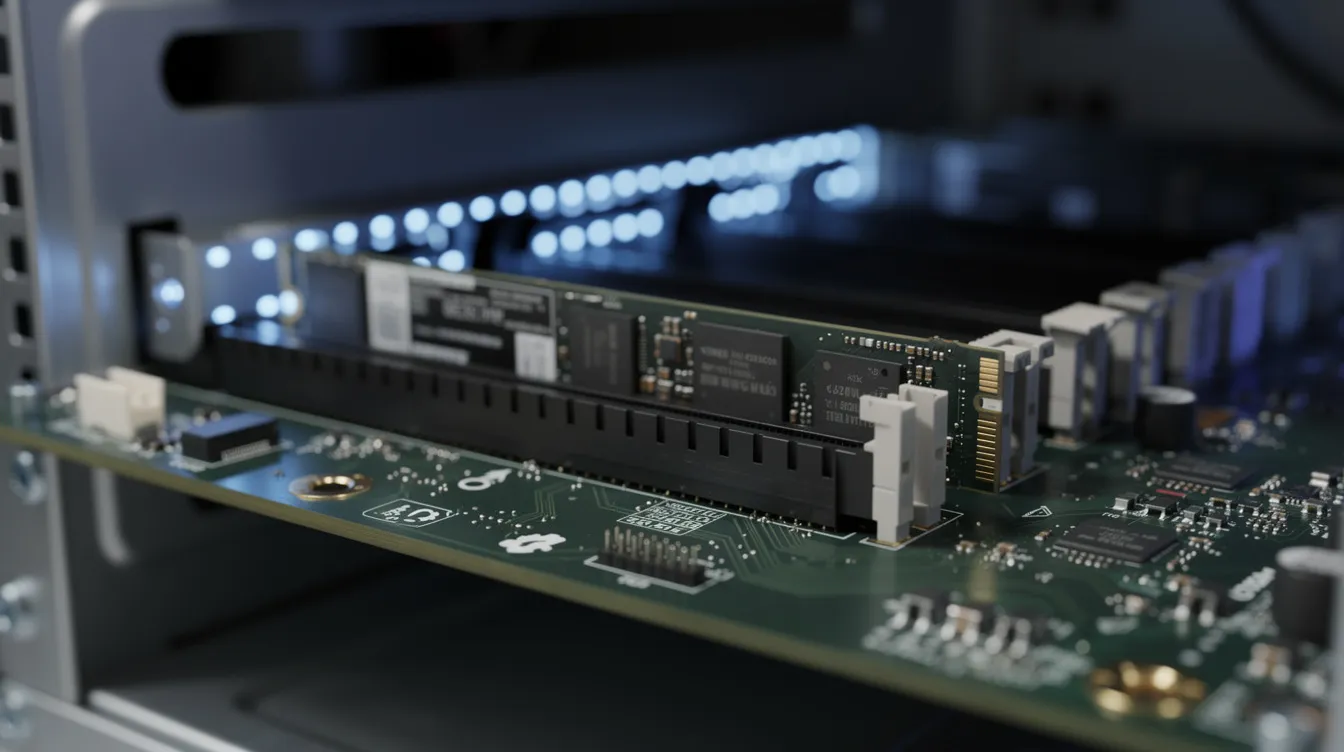
NVMe SSD storage: Using NVMe storage significantly improves performance in Windows environments. NVMe SSDs can deliver speeds of 3,400 MB/s to 6,800 MB/s, orders of magnitude faster than SATA SSD or spinning disks. This matters for database IOPS, application load times, and Windows boot speed. Atlantic.Net VPS uses SSD storage for low latency and high bandwidth, showing that even budget-tier providers have moved past HDD.
RAM considerations: 2 GB is the minimum for a functional Windows Server instance. At 4 GB, you can comfortably run IIS plus a small SQL Server database. At 8 GB and above, multiple services and heavier applications run without memory pressure.
Network connectivity: Look for 1–2 Gbps network ports and generous bandwidth caps. Windows VPS can reach up to 2 Gbps allocated bandwidth on higher-tier plans, which keeps RDP sessions smooth and API calls fast.
Reliability guarantees: VPSServer guarantees a 99.95% uptime for its Windows VPS. eXact Digital's virtual servers run on enterprise-grade hardware with 24/7 monitoring and strong uptime SLAs, so cheap plans stay reliable. You can verify real-time availability via the system status page.
Remote Desktop and Daily Management of Your Windows VPS
Remote Desktop Protocol lets you log into your Windows VPS from virtually any device, including Windows, macOS, Linux, iOS, and Android, using Microsoft's free Remote Desktop client or compatible third-party apps.
Connecting step by step: After provisioning, you receive an IP address and admin credentials. Open Microsoft Remote Desktop, enter the IP, your username, and password, then connect. The session opens a full Windows desktop.
Typical daily tasks through RDP: Installing applications, configuring IIS for web hosting, managing SQL Server, running browser automation scripts, or using office software and accounting tools. Server management feels intuitive because RDP access gives you a normal Windows desktop experience.
Accessibility for non-experts: You do not need deep server administration knowledge to use a Windows VPS. If you can navigate a regular Windows desktop, you can manage your VPS server.
Out-of-band management: eXact Digital's control panel allows rebooting, reinstalling the operating system, viewing the console, and managing backups without needing RDP. This is critical if the OS becomes misconfigured or unresponsive.

Data Centers, Locations, and Latency
The physical location of your data center directly affects latency for speed-sensitive tasks like Forex trading, real-time collaboration, or API-driven applications.
Regional coverage: Providers with global data centers let you pick locations in North America, Europe, the Middle East, or Asia. Choosing a geographically close data center can reduce latency for users and improve the overall Windows VPS hosting experience.
Facility standards: Look for redundant power supplies, enterprise cooling, physical security certifications, and multiple network carriers to minimize single points of failure.
Latency impact: Even 20–30 ms of extra latency degrades remote desktop smoothness, slows website response time, and hurts database-heavy application performance. For trading bots, latency can mean the difference between profitable and missed trades.
eXact Digital's approach: VPS servers are strategically placed in modern data centers to balance low latency with affordable pricing, giving customers a secure environment with excellent performance across regions.
Security, Backups, and Compliance on Cheap Windows VPS Hosting
Low price should never mean ignoring security or data protection. Even on a budget, you need layered defenses.
OS-level security: Configure Windows Firewall rules, keep automatic Microsoft security updates enabled, and install antivirus or anti-malware tools. Windows VPS includes built-in security features, but you are responsible for keeping them active and configured.
VPS-level protections: DDoS mitigation at the network edge, firewall rules enforced by the hypervisor, and strict isolation between virtual servers on the same host node prevent other users from affecting your environment.
Backup strategy: Basic automated backups are crucial for Windows VPS hosting. Use daily or weekly automated backups and on-demand snapshots, stored on separate infrastructure, to protect against data corruption or accidental deletion.
Encryption: Use TLS 1.2 or 1.3 for data in transit and BitLocker or similar encryption for data at rest where compliance requires it.
eXact Digital backups: The control panel includes easy backup and snapshot options so budget-conscious customers can still protect critical data without complex setup or extra e mail-based requests.
Typical Use Cases for Cheap Windows VPS Hosting
One Windows VPS server can support a wide range of real-world workloads depending on how you configure it.
Web hosting on IIS or Plesk: Run ASP.NET Core sites, classic ASP applications, or PHP websites on a Windows Server. Agencies and small businesses can host multiple client sites on a single VPS.
Remote desktop workstations: Run Office, accounting software, CRM tools, and browsers for remote teams or contractors who need a consistent Windows environment without shipping hardware.
Forex and algorithmic trading: Host MetaTrader 4/5, cTrader, or custom trading bots close to broker servers for consistent uptime and minimal latency. A cheap Windows VPS keeps your terminal running 24/7.
Development and testing: Use a Windows VPS as a sandbox for .NET Framework, SQL Server, and other Microsoft stack applications without cluttering your local machine.
Automation and bots: Run web scrapers, marketing automations, social media tools, and background tasks around the clock without relying on a local PC that might shut down or lose connectivity.
Why Choose eXact Digital (exact.gg) for Cheap Windows VPS Hosting?
eXact Digital is built for users who want reliable Windows VPS solutions without overpaying.
Hardware: AMD EPYC-powered virtual servers with pure NVMe SSD storage, generous bandwidth allocations, and modern data center locations deliver excellent performance even on entry-level plans.
Pricing philosophy: Cheap Windows VPS plans with competitive pricing, clear specifications, and no hidden fees for essentials like IPv4, basic support, or standard control panel features. Affordable pricing that stays predictable month to month.
Platform features: An intuitive dashboard for one-click OS reinstall, easy upgrades between VPS plans, integrated backups, and monitoring. A specific server configuration can be adjusted in minutes.
Security and reliability: Enterprise-grade security stack, free SSL for hosted sites, daily backup options, and a strong uptime SLA backed by 24/7 monitoring.
Growth path: Start with an entry-level cheap Windows VPS and scale up CPU, RAM, or storage as hosting needs grow, without service interruption or data loss.
Getting Started: From Order to Remote Desktop in Minutes
Setup is quick and accessible even if you have never managed a VPS before. Windows VPS can be deployed in just a few minutes.
Order flow: Choose a Windows VPS plan on exact.gg, pick your preferred data center region, select a Windows Server version, and complete checkout.
Provisioning: Immediate setup includes server login information within minutes. Your IP address, administrator username, and temporary password arrive by e mail so you can connect right away.
First connection: Open Microsoft Remote Desktop on Windows, macOS, or mobile, enter your credentials, and connect. Perform initial hardening: change your password, install Windows updates, and configure basic firewall rules.
Next steps by goal: Install IIS and deploy your first website, set up MetaTrader for automated trading, configure a private VPN endpoint, or install development tools and start coding.
Ongoing support: 24/7 technical support is available for Windows VPS users, including help with server configurations and management. USA-based support teams are available at no extra cost, and a knowledgebase provides step-by-step guidance for common tasks.
A cheap Windows VPS does not have to mean compromising on speed, security, or support. With eXact Digital, you get high performance cloud hosting at a price that makes sense, whether you are a solo developer, a growing business, or a trader who needs an always-on Windows VPS. Pick a plan, deploy in minutes, and start building.